
AI-Driven Reporting Package
SHARE
Table of Contents
New Reporting FAQs
Payment Types Customization
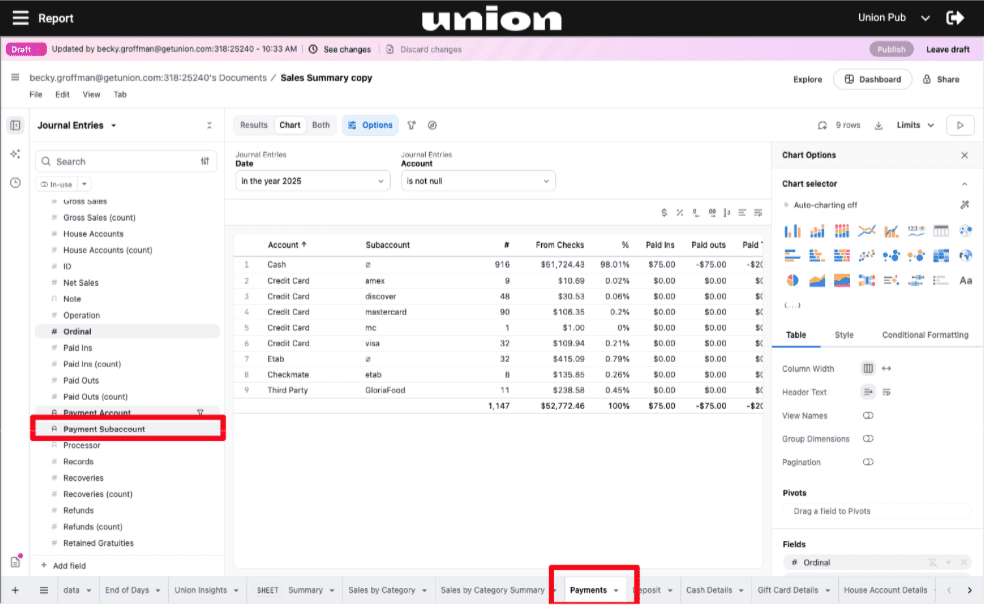
- From the Sales Summary
- Select File → Duplicate the Report
- Save to My Documents
- Select Edit
- Select Workbook
- Select the tab Payments
- Tap on Payment Subaccount – this will no long be bold
- Select “Dashboard”
- Select “Publish
How the Date Picker Works
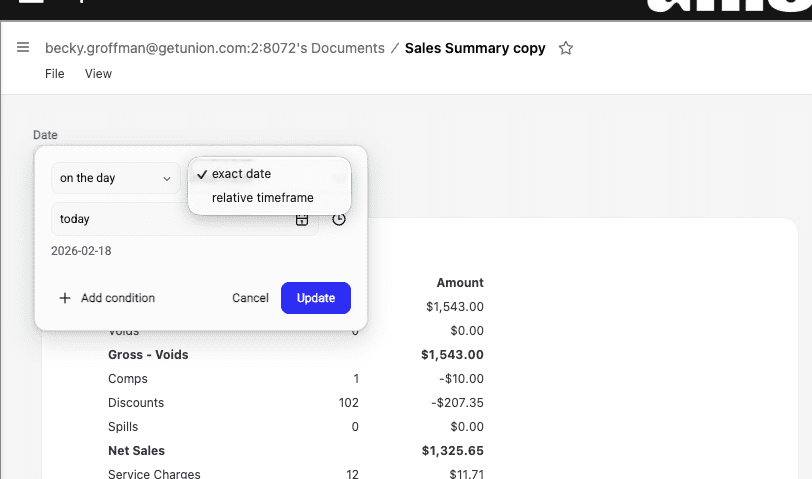
The new date picker allows you to quickly select preset ranges (Today, Yesterday, Last 7 Days, etc.) or customize your own date range. Once selected, reports will automatically update to reflect your chosen timeframe. To see an exact range, select “Exact Date” instead of a relative time frame.
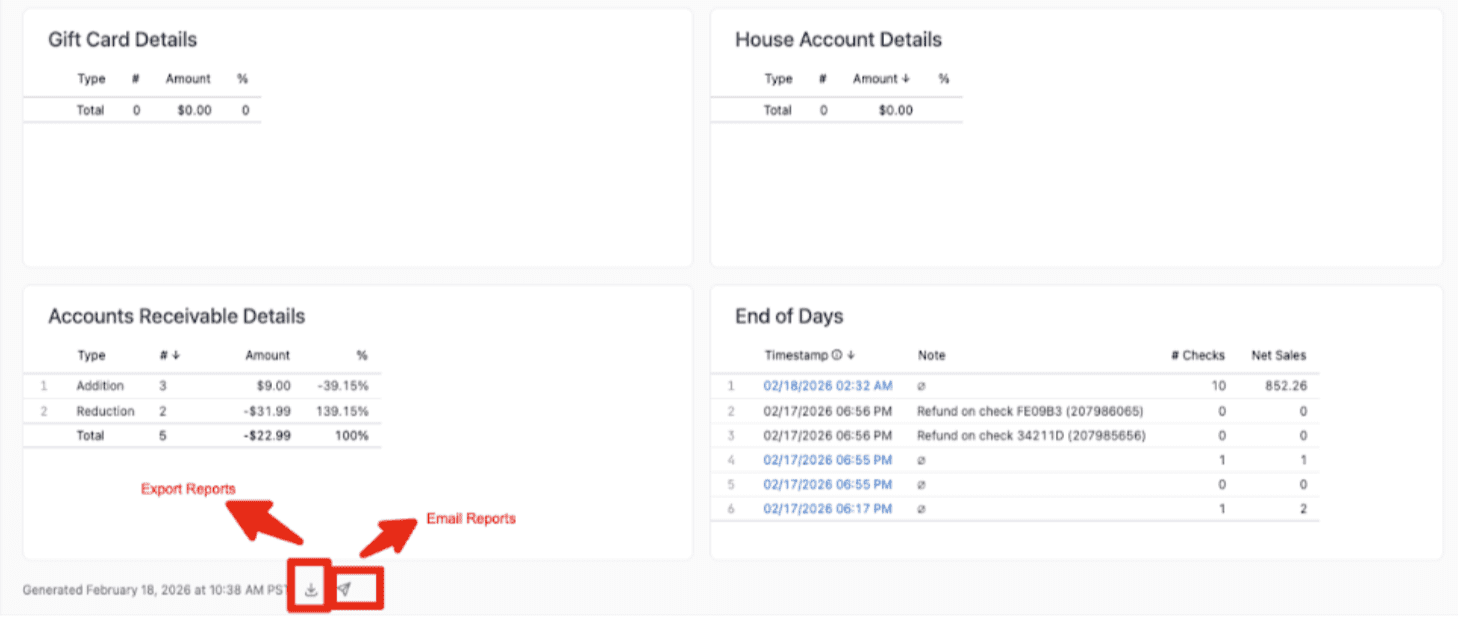
Exporting or Scheduling Reports
Reports can be exported manually or emailed automatically on a schedule.

How to Find Reports in the New Layout
The new reporting experience organizes reports using folders instead of tiles. This helps group reports logically and makes it easier to find exactly what you’re looking for. You can browse by folder or use search to quickly locate specific reports.
Training videos & Transcripts
General Overview & Navigation
Get an introduction to the AI-Driven Reporting Package. Learn how to navigate dashboards and understand the data available.
Creating a Custom Report with AI
Learn how to build your own custom reports using the AI-powered reporting tools. Filter by location, channel, menu, or date range, and see how the AI can suggest insights and highlight trends.
Editing an Existing Report
See how to adjust an existing report, apply new filters, or update scheduling preferences. Keep your reports accurate and actionable as your business evolves.
Where to find Legacy Report in the New Interface
Using the Date Picker
Master the new tools for custom and preset date ranges.
Learn at your own pace with short, easy-to-follow videos → Learning Center
Reach out to support anytime, we’re happy to help!