Lorem ipsum dolor sit amet, consectetur adipiscing elit. Ut elit tellus, luctus nec ullamcorper mattis, pulvinar dapibus leo.

Meet Status: The Loyalty Program That Runs Itself

SHARE

Guests earn rewards on every dollar they spend. Rewards apply automatically. Your staff doesn't lift a finger.

WHY IT WORKS

Guests come back. You didn't have to ask.

Most loyalty programs fail because they add friction: a separate app, a punch card behind the bar, a server who forgets to ask. Status is different. It’s built directly into Union, which means it’s already there the moment you turn it on.

Guests earn 1 point per $1 spent. Hit the threshold, and a reward is waiting automatically on their next tab. No codes. No reminders. No staff training.

HOW IT WORKS

Simple logic. Automatic execution.

 
1
Guest visits and pays
Whether they order through the Union app, pay at the table, or scan the QR code on their receipt, every dollar earns points. No app download needed.
 
2
Points accumulate silently
Guests are enrolled automatically when they give their phone number. Points stack up visit after visit, tied to your venue specifically.
 
3
Reward hits their next tab
Once they cross your threshold, the reward applies itself as a discount on their next visit. No codes to redeem, nothing for your team to do.
4
They come back
That’s the whole point. A $10 reward waiting for them is a reason to choose your venue over the one next door.

ENROLLMENT FLOWS

Guests join in seconds. No app download required.​

1. GUEST-LED MOBILE ORDERING

Guest taps or scans the NFC puck, opens a tab from their phone, and enters their number. Points start earning immediately. No staff involvement.

→ Tap or scan puck, menu loads on guest’s phone
→ Guest opens tab, enters phone number to enroll
→ Receipt shows points earned & reward progress

2. PAY AT TABLE

Server selects “Pay at Table” on the POS and turns the screen toward the guest. Status must be enabled in your Manager Portal. 

→ Server selects Pay → Pay at Table on the POS
→ Screen turns to guest, they select tip and complete payment
→ Guest enters phone number to earn points

3. SCAN TO PAY

Guest scans a QR code printed on their receipt  and pays directly from their phone.
 
→ QR code appears on printed receipt
→ Guest scans with their phone and completes payment
→ Points earned automatically, must be enabled in Manager Portal under Receipts or Register settings

4. QR CODE ON PRINTED RECEIPT

Every receipt prints a QR code at the bottom. Guest scans it themselves: at the table, in the car, or later that night. 

→ Guest receives printed receipt after checkout
→ Scans QR code → enters phone number
→ Points from that visit credited, no staff needed

5. ADD CUSTOMER AT THE POS

Server adds the guest to the check before closing out. Works for every venue regardless of mobile adoption: traditional service, full loyalty benefits.
 
→ Long press the check name at POS
→ “Add Customer”, enter guest’s phone number
→ Close check as normal, points apply automatically

6. STATUS-ONLY PUCKS​

For venues not using guest-led ordering, Union offers a dedicated Status puck. It sits on the table, guests tap or scan it, enter their phone number, and they’re enrolled. No app needed, no tab opening, just loyalty. Available to order, details here.
 
→ Puck sits on the table, guest taps or scans
→ Guest enters their phone number to enroll
→ Points earned on that visit automatically

QUICK START​

Go Live in 5 minutes.

1. Verify POS Build Version: Ensure all terminals are running build 26155 or higher. You can find the build number in the bottom-right corner of the clock-in screen.

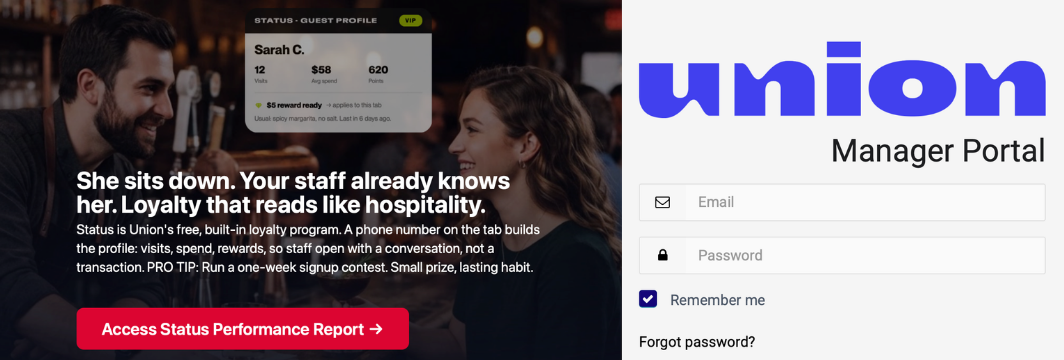
2. Once confirmed, log into your Manager Portal

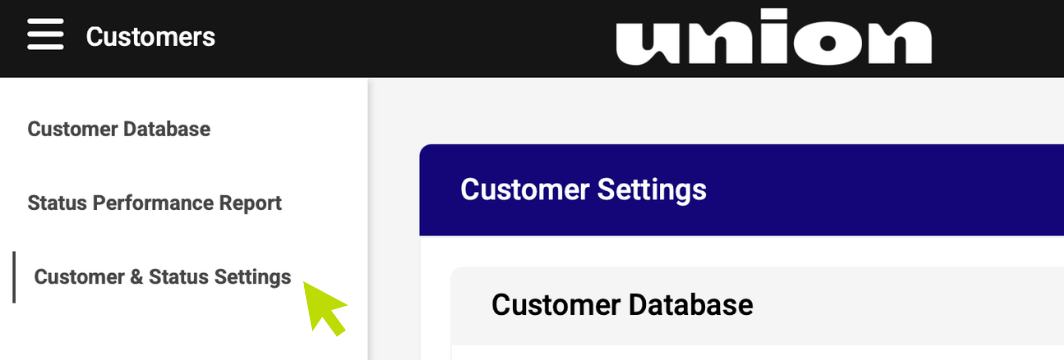
3. Navigate to “Customers” “Customer & Status Settings”

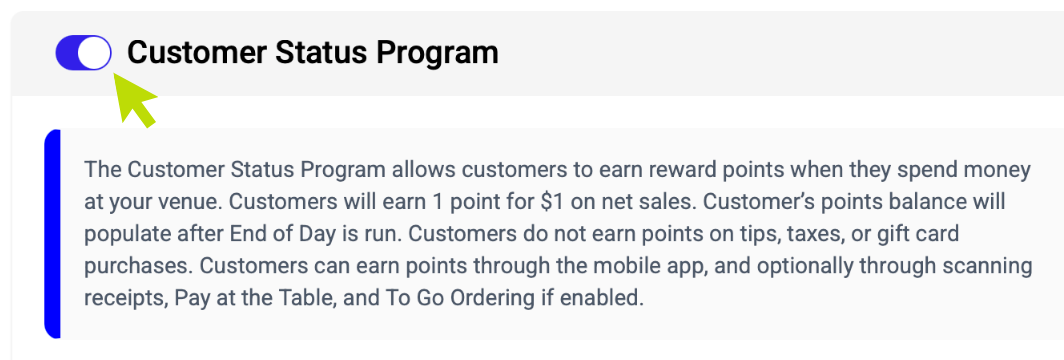
4. Toggle on Status

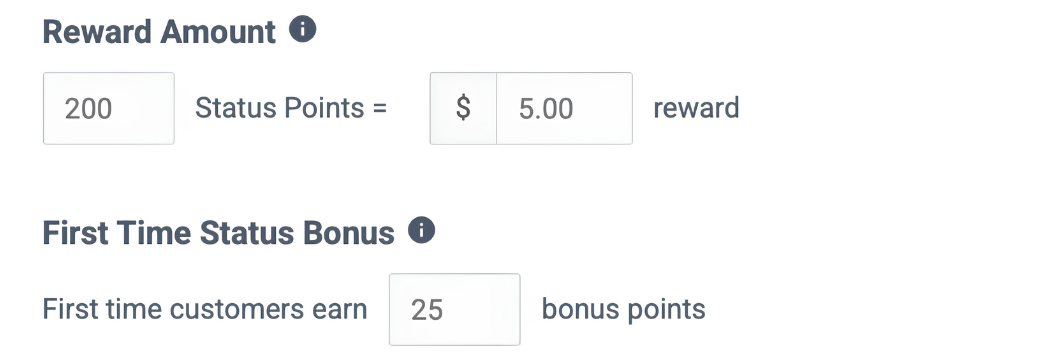
5. Enter how many points a user needs to reach to earn an eligible reward

6. Enter the dollar amount you’d like redeemed per reward

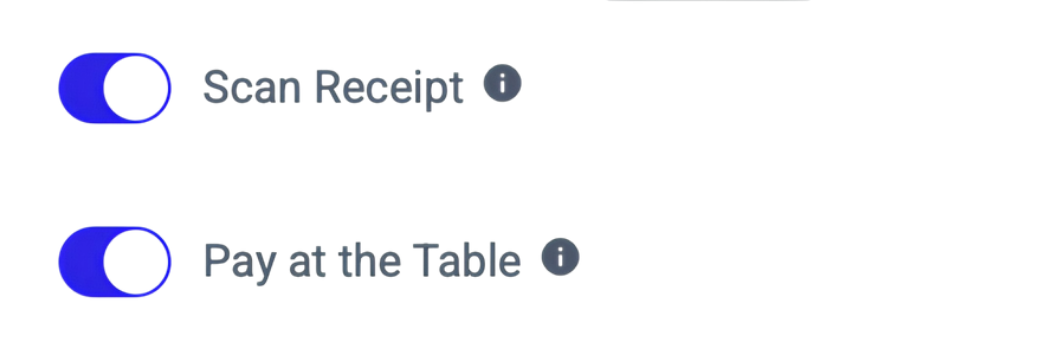
7. Choose additional enrollment options:
QR code on receipt (no payment required) and/or Pay at the Table (guests can enter their phone number on the tip and close out screen on the register).

Guests already using the Union app will earn points automatically.


8. (Optional) Enter any bonus points for new users.

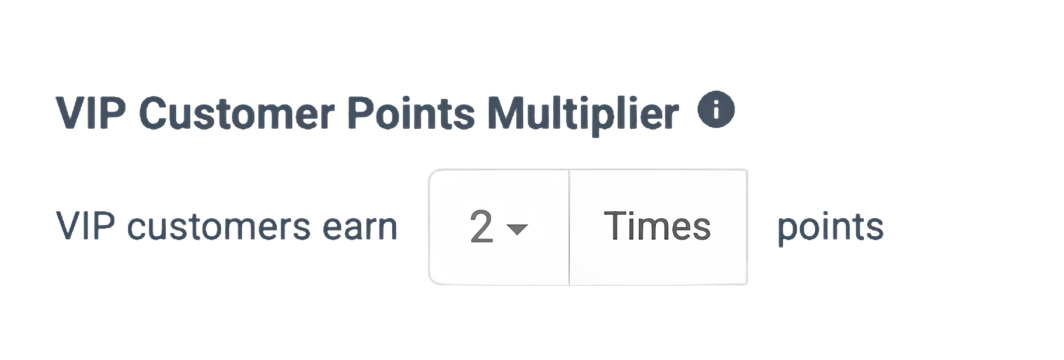
9. (Optional) Enter bonus multipliers for VIP badge customers.

GUEST COMMUNICATION

Your rewards reach guests automatically.

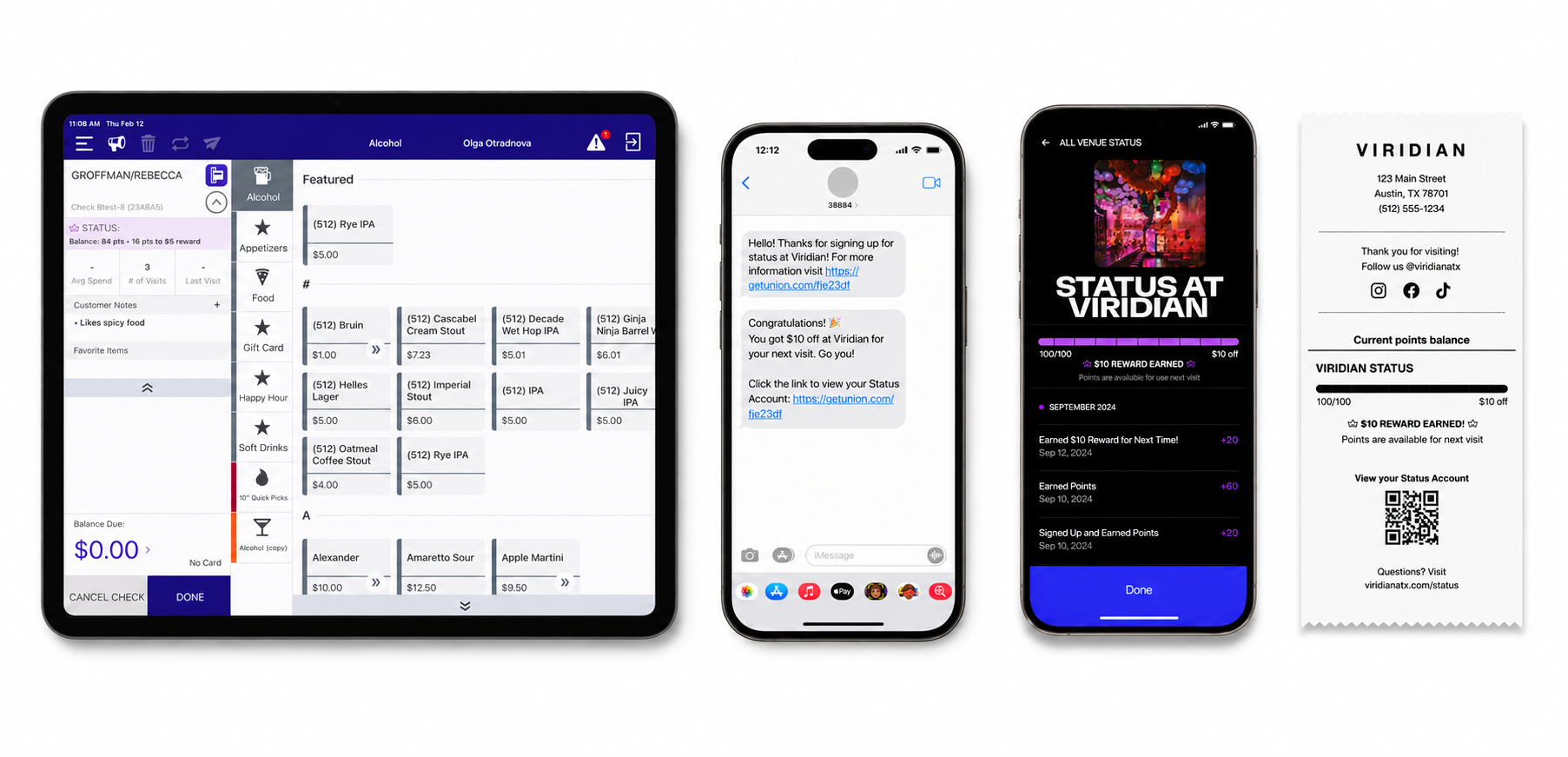
38884
Congratulations!! 🎉
You got $10 off at Viridian for your next visit. Go you!

Click the link to view your Status Account: https://getunion.com/fje23df

When a guest earns a reward, Status sends them an SMS letting them know it’s waiting at your venue. No campaign, no marketing tool, no copywriting needed. Guests who have opted in to receive texts get notified the moment they hit your threshold, a direct nudge that brings them back.

GROWTH LEVERS

Status isn't just a "discount". it's a growth engine.

The “First Visit” Loop
Offer a first-time bonus to hit the reward threshold instantly, giving guests a reason to come back next week.
VIP Multipliers
Your biggest spenders and most frequent visitors deserve recognition. Set 2x–10x point multipliers for VIP guests. They earn faster, feel the love, and come back even more often.
Capture Every Visit
Points flow through mobile ordering, pay-at-table, and QR receipt scans. Even guests who never open the app can enroll, just a phone number at the register is enough.

RESOURCES

Everything you need, in one place.

Ready to turn it on?​

Takes 5 minutes. Works immediately.​