
Release Notes
Stay up to date on what’s new with Union with our most recent product updates.
If you have any questions on how new features or updates will impact your business, please text/call our free support line (855)-384-6839, and we’d be happy to walk you through it.
October 2026
Internet went down? Your staff’s tips are still safe.
The new Offline Tip Reconciliation report flags any tip entered during an internet outage that needs a second look, and lets you rekey it right from the report within 7 days. It makes reconciling easier and makes sure every dollar ends up where it belongs.
Pro Tip: During an outage, turn on Hold Offline Transactions in Payments settings so tips can sync before anything is final.
Credit card rekeys go through as a new charge. Apple Pay, Google Pay, and cash aren’t eligible.
Pricing Events, refreshed
Planning happy hours and specials just got easier. The Pricing Events calendar has a fresh new look, with Month, Week, Day, and List views so you can see what’s running at a glance. It also remembers the view you were last on, so you can pick up right where you left off.
Find it in: Manager Portal → Manager Portal → Inventory → Menu Set-Up →
Bulk Employee Import
Onboarding a new location or a wave of seasonal hires? Instead of adding employees one by one, download our template, fill it in, and upload your whole roster in one go. New job titles are created automatically, and anything missing or duplicated is flagged before it’s imported.
Find it in: Manager Portal → Labor → Employees → Import Employees.
September 2026
Small change to your Reports screen.
We’ve made a small update to the Manager Portal. When you select Reports, you will now land directly on Unified Reports instead of seeing a choice between Unified Reports and Legacy Reports. If you need the previous view, Legacy Reports is still available directly from the left-hand navigation.
Elevated Menu Experience, Now Live on iOS
The new mobile menu we told you about last month has arrived. Guests now see Featured Brands and personalized “For You” picks the moment they open the menu, plus a sticky pill navigation so they can jump straight to a category without endless scrolling, all built to surface your best sellers and highest-margin items faster and grow your average check.
Activate Mobile Ordering, It’s Free >>
Live Tab Activity, Now Live on iOS
No more losing track of an open tab. Opening a tab via the Union iOS app or App Clip now surfaces a Live Activity right on the guest’s lock screen, updating automatically as they order, with one tap back to the menu.
Bulk Employee Management
Managing your team just got faster. You can now switch employees active or inactive in bulk instead of editing each one individually.
Find it in: Manager Portal → Labor → Employees
Inventory Audit Logs
See exactly what changed and when, across Items, Menu Screens, Modifier Groups, Pricing Events, Recipes, Sizes, Sales Categories, and Tax, plus who made the change. A clear paper trail for troubleshooting any pricing or menu discrepancy.
August 2026
Timers are here. Charge automatically, down to the minute.
If you run a pool hall, karaoke rooms, pickleball courts, or anything billed by time, this one’s for you. Add a timer as an item, start the clock at check-in, and Union tracks the time and charges automatically, no more eyeballing a stopwatch or losing track of table time.
Status: New Guide and Video, Just in Time for Football Season
With football season kicking off and more guests walking through the door, there’s never been a better time to put Status to work. It’s Union’s free, built-in loyalty program: every scan or digital tab builds a guest profile automatically, no app, no card, no extra fees, no extra work for your staff.
Meet Unified Reporting
Your Reports hub just got easier to use. Same reports you rely on today, reorganized into a simpler layout that’s faster to navigate. Nothing you use has gone away, and any custom reports you’ve built are exactly where you left them. You’ll have a transition window to explore the new view before it becomes the default, with the option to switch back at any time during that window.
Questions about the change? Reach us at (855) 384-6839 or support@getunion.com — happy to help.
July 2026
Enable/Disable Menu Screens in Bulk, All at Once
Managing menu screens just got faster. Select multiple screens and enable, disable, or update their available days and times all at once — no more editing screens one by one.
The Menu Screens page also has a new look: search, plus filters by status, size, menu type, and color, so you can find exactly what you need. Screen reordering has moved to its own Menu Screen Order page (same drag-and-drop you know, just relocated).
Find it in: Manager Portal → Inventory Management → Menu Set-Up → Menu Screens
June 2026
Status Performance Report
The Status Performance Report gives you a centralized dashboard to measure the ROI of your loyalty program: member enrollment, point activity, redemptions, and your top guests, all in one view. No manual pulling. No guessing.
Find it in: Manager Portal → Customers → Status Performance Report
Mobile Tip Percentage
You can now customize the tip percentages shown to guests at checkout on Union Mobile. No more hardcoded 20/25/30: set the options and default that work for your venue.
Find it in: Settings → Receipts & Tip Calculator
Timers for Pool Halls & Karaoke Venues – Coming soon
Timed sessions are coming to Union. Track and charge by the hour for pool tables, karaoke rooms, and any time-based service your venue offers.
May 2026
High Tip Alert with Manager Approval
Accidental or intentional tip entry errors now have a safeguard. Configure a tip threshold in the Manager Portal by dollar amount or percentage of the check total, and any tip entered above it will trigger an interruption before it goes through. The employee can either edit the tip to correct a potential mistake or request manager approval to proceed. Employees with the appropriate permission can self-approve; those without it must have a manager approve before the tip processes. All high-tip approvals are logged under adjustments for accountability.
To control who can approve high tips, assign the permission in Labor → Labor Settings → POS Permission → Approve Adjustments → Approve High Tip Amount.
Available in Manager Portal → Settings → Payments → High Tip Alert.
Min. required built = 14.6.1 (build 27167).
Text Notifications for Adjustments
Stay on top of high-value adjustments even when you’re off-site. Configure thresholds by adjustment type (comps, voids, discounts, spills, and more) and receive a text alert the moment a check hits or exceeds your limit. You can also combine adjustment types within a single notification, such as alerting when comps and voids together reach a set amount on one check. Set up notifications by job code, choose which adjustment types to watch, and optionally receive alerts even when you’re not clocked in. Text alerts include a link to review the check and its activity log directly.
Available in Manager Portal → Settings → Notification Center → Venue Notification Center.
Date Picker with Presets & Custom Ranges
Now you can filter any templated report with a single click using presets like Today, Last Week, or This Month, or dial in any custom range directly from the calendar.
Available now on all templated and duplicated templated reports. Support for custom reports and upgraded prior reports is coming soon.
To duplicate a templated report: Open the report → File → Duplicate.
Shift History & Shift Change Log in New Reports
We’re introducing shift history and a shift change log in the new Reports experience, enabling venues to build comprehensive audit-ready shift reports. This will surface detailed historical shift activity and all changes made during shifts, improving visibility and accountability across operations. This feature will be available in New Reports once released.
Bulk Size Editing for Multiple Items
Updating sizes across your menu used to mean opening every item one by one. Now you can add, remove, or replace sizes across multiple items in a single workflow: standardize your pints, pull a discontinued size off your entire beer list, or roll out a new format menu-wide in a few clicks. Pricing updates are optional within the same flow, so you’re never forced to do more than you need to.
Available in Manager Portal → Item Management → Select Items → Sizes and Prices.
Drag and Drop Size Ordering
You can now reorder item sizes directly within the Pricing & Sizing section using drag and drop. The saved order is reflected everywhere sizes appear, including POS, Union Mobile, website ordering, and third-party integrations. Reordering does not affect pricing or size configuration, only display order.
Available in Manager Portal → Item Edit → Pricing & Sizing.
Register Added to Activity Log
We’ve added the register location to the Activity Log for payments and tips, giving venues a clear audit trail for financial transactions. If a tip or payment is entered, adjusted, or modified, you can now see exactly which physical register the action took place at, significantly improving accountability and fraud prevention across your operations.
Available in Manager Portal → Navigate to a check → Click on the check → Activity Log.
Add Items to Customer Checks in New Reports
We’re updating the customer search functionality within the new Reports experience to provide complete item-level visibility. Venues can now look up a specific customer and instantly view all individual items associated with their check, making it easier than ever to track order histories, resolve disputes, and analyze guest preferences.
Print PDF Button on Shift Editor
We’ve added a dedicated print option to the Shift Editor, allowing managers to generate a clean, readable PDF that includes employee clock-in images. This makes it easy to visually verify staff attendance, audit shifts, and keep precise physical records.
Available in Manager Portal → Labor → Shift Editor → Print PDF.
April 2026
Flash Report Performance Improvements
The Flash Report has been rebuilt from the ground up. Same format, significantly faster load times.
Bulk Pricing: Mass Price Updates by Percentage or Dollar Amount
You can now increase, decrease, or set prices across your entire menu in one action, by a percentage or a flat dollar amount. Applies to base prices, item sizes, modifier prices, and third-party pricing. When updating by percentage, choose how prices round: to the nearest penny, nickel, dime, quarter, or dollar.
Available in Manager Portal → Item Management → Edit Items → Multiple Edit Prices.
March 2026
Bulk Pricing: Update Hundreds of Items in Seconds
Repricing your menu used to mean opening every item one by one. Not anymore. With the new Bulk Editor, updating prices across your entire menu feels like working in a spreadsheet: fast, simple, and built for the way operators actually work.
MarginEdge + Union, Now Officially Connected.
MarginEdge has officially released their API integration with Union. If you use both platforms, your data now flows seamlessly between them, no more manual exports, no more gaps.
February 2026
Modifier Hub
Adding a new modifier group to your menu? Right now, you have to open each item individually, scroll through settings, and add the group one by one. Switching up your modifiers across all your vodkas? That’s repetitive clicks, over and over.
Now you can manage modifier groups in one place. The Modifier Hub shows exactly which groups are attached to each item, lets you add or remove multiple groups at once, and, most importantly, lets you bulk add a modifier group to multiple items in seconds. Rolling out gluten-free options? Add them to your entire pasta menu with a few clicks.
Available in Manager Portal → Item Management → Modifier Hub. Requires “Edit Items and Screens” permission.
Bulk Edit Modifier Groups
Stop updating modifier groups one item at a time. You now have the ability to add and remove modifier groups directly from the Inventory page. Select your items, choose your action, and apply changes in just a few clicks, with duplicate detection and clear confirmation every step of the way.
More Templated Reports Coming Soon to AI Reporting
We’re continuing to expand the new AI reporting package with additional templated reports. Each will be released directly to your portal:
- Sales by Check
- Employee
- Employee Performance
- Flash
- Sales Trends
- Recoveries and Declines
- House Accounts
- Sales by Item Drill-Down
- Operations
- Sales by Floor
- Payments
- Transaction
- Sales by Revenue Center
- Sales by Category
- Sales by Item
- Sales by Job
- Open Checks
Keep an eye on your portal as these roll out. To make finding familiar reports easier, a Legacy folder will be added to the new AI Reporting Package while you get comfortable with the new experience.
Shift Change History
A server says their shift was cut short, but you can’t tell who changed it or when. You’re stuck piecing together what happened through memory and guesswork.
Now, using the new shift editor, you can see exactly what was changed on each individual shift. Clock-in adjusted? Break deleted? It’s all documented. Audit shifts in seconds, figure out who made changes, and follow up to understand why.
This is phase 1. The history lives on individual shifts now. Soon, we’ll roll this data into larger reports so you can spot patterns across your entire venue.
What’s tracked:
- Shift added or edited
- Break added, start/end times changed, or type modified
- Clock in/out times adjusted
- Job code edited
- Claimed tips edited
Available in Manager Portal → Labor Management → Shift Editor (new version only, not legacy editor). Requires “Edit Shifts” permission.
Coming Up: Loyalty Program
Punch cards get lost. Manual discounts eat into margins with no data to show for it. Guests forget to ask for their stamp, and you have no idea who your best customers actually are.
Soon you’ll be able to reward repeat visits automatically. Union Status will give guests 1 point per dollar spent, with rewards that apply instantly as discounts. No cards, no apps to download, no manual tracking. Guests will earn points through mobile ordering, pay-at-table, or by scanning QR codes on receipts. You configure the tiers: 100 points for $5 off, 200 points for $10 off, and the system handles the rest.
Want to recognize your VIPs? Set criteria for Frequent Visitors or Big Spenders, and they’ll automatically earn 2x–10x points with a VIP badge in-app. Need to exclude alcohol or run a weekend promotion? Configure it in seconds.
This will be Venue Status: your own program. Soon after, we’ll add Union Status (network-wide perks across all Union venues) and Brand Status (sponsored offers from partners). First, you get the foundation: automated rewards, real customer data, and tools to keep your best guests coming back.
Reporting: Payroll Hub Moved to Labor
The Payroll Hub has been relocated to the Labor section.
When accessing payroll reports, you’ll now be automatically redirected to Labor. All functionality remains the same, only the location has changed.
January 2026
New AI-Driven Reporting Package
Reporting should answer questions, not create more work. Waiting on custom report requests, digging through static dashboards, or manually tracking trends takes time you don’t have.
This new AI-driven reporting package changes that. Ask questions in plain English and get answers instantly. Build your own reports without submitting a request. Schedule reports to arrive in your inbox exactly when you need them. Modern dashboards let you drill down from summary to detail in a few clicks. We have even added a daily built in weather feed, so you can easily see how conditions outside affect your business.
What’s included:
- In-platform report builder (Build Your Own) for self-service reporting
- Scheduled email reports delivered automatically on your timeline
- Drill-down dashboards with a modern UI for faster navigation
- AI-generated insights that surface trends and opportunities
- Local weather data integrated into reports
Rollout:
All venues will receive access over the next few weeks. You’ll get an email before your location goes live with training videos, step-by-step guides, and access to live office hour sessions.
Once activated, you’ll see two reporting tools in your portal. If you’re subscribed to daily email reports, you’ll receive both legacy and new versions during the transition. Legacy reporting will be removed in March.
Training:
Live trainings available every Monday, 10:30 AM–12:00 PM CST throughout the transition. Join as often as needed.
Available in Manager Portal → Reports.
Offline Banner Messaging
When your POS goes offline, every second of uncertainty costs you. Is the device actually offline? Is the connection just slow? Are transactions going through?
Now you’ll know instantly. Union POS and POS for iPhone will now display an alert in the top right corner of your terminal when your connection status changes, whether it’s offline or an unstable connection. The header color will also turn from blue to black/dark grey. Your staff knows exactly what’s happening and can communicate clearly with guests.
Available on Union POS and Union Pocket (POS for iPhone).
Incremental Authorization – TSYS Card Present Support (Out of Beta – Available to all applicable partners)
Venues using TSYS can now enable Incremental Authorization for card present transactions (dip, tap, and swipe) at the POS. This extends existing card-not-present support to in-person payments, helping prevent declined tabs and walkouts.
How it works:
- Enable in Manager Portal → Settings → Payments → Incremental Authorization
- Select POS under “Choose where you would like to apply incremental authorization”
- Set check size threshold, authorization increments, and max authorizations per card (up to 9)
- Green banner displays pre-authorized amount on check screen
- Red banner alerts staff when card declines, with options to retry, update payment, or collect approved amount
- Declined checks appear with red indicators in Alert Center
Keep in mind:
- Only available for TSYS card present gateway
- Transaction fees apply for each authorization
- Tap to Pay functionality does not work in offline mode
- Contact Support to get started.
December 2025
Bulk edit menu screens
Adding items to multiple menu screens used to mean repeating the same steps over and over. New item? Add it to the 13″ screen. Then the 10″ screen. Then iPhone. Then Online. Time-consuming and easy to miss one.
Now you can add an item to multiple menu screens at once. Select your items, click Edit, choose Menu Screens, and assign them to any combination of screens in a few clicks. Rolling out a new cocktail? Add it to all your screens in seconds. Launching a seasonal menu? Get items everywhere they need to be without the repetition.
The system shows your progress as it saves, and logs every change for accountability in Smithers.
Available in Manager Portal → Item Management → Edit for users with “Edit Items and Screens” permission.
November 2025
Bulk edit sales subcategories
Venues need the ability to easily swap a sales subcategory for multiple items. Previously, if the wrong sales subcategory was assigned, an employee or support rep had to manually update each item individually—time-consuming and inefficient.
Now you can: Select multiple items with checkboxes, click Edit, choose Sales Subcategories, and update them all at once. Change 20 beer items from “Liquor” to “Beer” in seconds. Update 150 items in one go. The system shows you progress as it saves, and logs every change for accountability in Smithers.
Available in Manager Portal → Item Management → Edit for users with “Edit Items and Screens” permission.
Bulk edit stations across multiple items
Need to change where items print? Now you can add, remove, or set stations across multiple menu items at once—no more editing them one by one. Whether you’re moving appetizers to a new kitchen printer or reassigning drinks to the bar, bulk station editing saves time and keeps your ticket routing organized.
Available in Manager Portal → Item Management → Edit Items → Stations
Bulk edit courses across multiple items
Need to update coursing for a new menu or seasonal rollout? Now you can add courses across multiple menu items at once—no more editing each item individually. Whether you’re setting up a prix fixe menu or reorganizing how dishes fire to the kitchen, bulk coursing saves time and keeps service pacing on track. Available in Manager Portal → Item Management → Edit Items → Courses
Restructured Reporting Navigation
We’ve redesigned the Manager Portal’s Reports navigation to be more intuitive, organized, and ready for future improvements. Key reports are now grouped into clearer categories like Financial, Sales, and Employee. Saved Reports have also been refreshed with a cleaner UI. This new layout makes it easier to find, run, and save reports without extra clicks.
How it works:
- Financial section: Includes Financial Statement, General Ledger, Open Checks, Payments, Transactions, Paid Ins/Paid Outs, Taxes, House Accounts, Refunds, Recoveries & Declines, Adjustments, and End of Day reports.
- Sales section: Includes Sales, PMix, and now also features Trends and Sales Comparison as standalone reports instead of drop-down items.
- Employee section: Includes Payroll Hub, Labor, Employee, Employee Performance, Labor vs Sales, and Checkouts.
- Saved Reports: Star icon added, with updated display (report name + save date). Edit pencil replaced with an ellipsis menu.
- Removed: Legacy Transaction, Sales, Adjustment, and Labor reports.
October 2025
KitchenHub Sync – 86 an item
86 an item from the POS and it will be marked as “Not Available” for DoorDash, UberEats, and Grubhub menus. Keep your third-party ordering in sync with your kitchen in real time, preventing customer frustration and reducing cancelled orders.
Incremental Authorization – TSYS Card Present Support (Join Beta)
Venues using TSYS can now enable Incremental Authorization for card present transactions (dip, tap, and swipe) at the POS. This extends existing card-not-present support to in-person payments, helping prevent declined tabs and walkouts.
How it works:
- Enable in Manager Portal → Settings → Payments → Incremental Authorization
- Select POS under “Choose where you would like to apply incremental authorization”
- Set check size threshold, authorization increments, and max authorizations per card (up to 9)
- Green banner displays pre-authorized amount on check screen
- Red banner alerts staff when card declines, with options to retry, update payment, or collect approved amount
- Declined checks appear with red indicators in Alert Center
Keep in mind:
- Beta feature – To join beta email product at becky.groffman@getunion.com
- Only available for TSYS card present gateway
- Transaction fees apply for each authorization
- Tap to Pay functionality does not work in offline mode
September 2025
Inventory Page Filtering
We’ve introduced advanced filtering tools to the Inventory page in the Manager Portal. Inventory page filtering lets support teams and venue managers quickly isolate and view inventory items by key attributes such as modifier groups, stations, item types, and more. This update reduces time spent scrolling through items, improves accuracy during setup, and decreases back-and-forth with support.
How it works:
- Add Filter button: Opens dropdowns for filtering by multiple attributes.
- Available filters include:
- Publish Status: Active, Inactive, Pending
- Item Type: Food, Beer, Liquor, Wine, Other Drinks, Merch, Gift Card, Modifiers
- Sales Subcategory: All venue-specific options
- Stations: All venue-specific stations
- Modifier Groups: All venue-specific modifier groups
- Sizes: All venue-specific size options
- Is Modifier: Yes/No
- Searchable dropdowns: Select one or many options at a time.
- Default state: Active + Pending items, with all other filters set to “All.”
- Clear All option: Reset filters back to default state in one click.
- Session management: Filters stay saved during a session and reload when the user logs back in.
- Labeling: Filters display in the header (e.g., “Stations (3)”) for clarity.
- “No Results” state: Provides clear CTA to adjust or remove filters.
2nd-level Modifiers and Sizes on Receipts
Guests and staff can now see upcharge modifiers and selected non-default item sizes across all receipts and digital touchpoints—improving pricing transparency and reducing disputes. With this update, guests see exactly what they ordered and paid for, and staff have a clear record to support order accuracy.
How it works:
- Printed Receipts (Chit & Payment):
- If “Print upcharge modifiers” is enabled, modifiers with upcharges display with group name, selected modifier, and price.
- If “Include itemized copy on card receipts” is enabled, full item + modifier list appears on payment receipts.
- Non-default sizes always display.
- PAT Flow & Email Receipts: Show modifier name + upcharge and selected size (when settings are enabled).
- Running Tab Screen: Continues to display modifiers and sizes consistently.
KitchenHub prep time + payment ticket settings
Venues using KitchenHub can now control two key settings in the Manager Portal: how long it takes to prepare an order (prep time), and whether a customer payment receipt prints when an order is received. These settings help tailor the online ordering experience and reduce unnecessary paper waste for high-volume venues.
How it works:
- Set a default prep time: Go to: Manager Portal → Settings → Online Ordering → Third-Party Orders
- Enter your desired prep time in minutes (e.g., 20)
- This value appears to guests during checkout on UberEats, DoorDash, and Grubhub
- Applies across all KitchenHub-connected services
- Toggle payment ticket printing on/off:
- In the same section, use the new “Automatically Print Customer Receipt” toggle
- When enabled, a payment receipt prints each time an order is received
- When disabled, only the kitchen ticket will print
Keep in mind:
- These settings only apply to orders received via KitchenHub, not Checkmate or eTab
- Prep time cannot be set per provider (yet)—it applies globally
- The receipt toggle defaults to ON but can be changed any time
Switch between ABC and Quick Pick menu screen types
Venues can now easily switch a menu screen’s type between Alphabetical (ABC) and Quick Picks without rebuilding it from scratch. This gives operators more flexibility based on bartender/server preference or speed of service needs.
How it works:
- In the Manager Portal, navigate to a menu screen and click “Change Menu Type”
- If switching from ABC to Quick Picks:
- Items will initially display in alphabetical order
- Venue can re-arrange using drag-and-drop
- If switching from Quick Picks to ABC:
- Choose to retain the current layout (displayed at the top of the ABC screen)
- Or convert to a pure alphabetical screen
Keep in mind:
- Works for 10″, 13″, and iPhone register screens
- Mobile, Online, and Third-Party screens do not support Quick Picks—they remain ABC only
Duplicate a menu screen across device types
Creating menus just got faster. Managers can now duplicate any menu screen to other screen sizes (e.g., from 13″ to iPhone, 10″, or mobile) with just a few clicks—saving time and reducing errors.
How it works:
- From any menu screen, click “Duplicate Menu Screen”
- Choose which device types to copy it to (10″, 13″, iPhone, Mobile, Online, Third Party)
- If a screen with the same name exists, choose to:
- Keep both (creates a copy with “(Copy)” in the name)
- Replace the existing screen
- Skip that screen size
Keep in mind:
- Mobile, Online, and Third Party screens will always use ABC layout
- New preview labels now show whether each menu screen is enabled or disabled
- This update greatly reduces time and errors when rolling out menu changes across devices
KitchenHub menu screen scheduling
Venues using KitchenHub can now schedule when third-party menu screens appear, allowing for different menus at different times—like lunch vs. dinner, or weekday vs. weekend.
How it works:
- Navigate to: Manager Portal → Menu Setup → Menu Screens → Add/Edit a Third Party screen
- Set specific days and time ranges for when the screen should be visible
- This applies to KitchenHub-connected menus only (UberEats, DoorDash)
- Toggle screens on/off as needed, and publish changes to push them live
Keep in mind:
- Menu screen scheduling applies only to KitchenHub, not Checkmate
- Disabling a screen removes it from all services (Checkmate + KitchenHub)
- Menus remain in ABC format
- Use this to show brunch menus only on weekends, or hide lunch menus outside of lunch hours
August 2025
Tap to Pay on iPhone Payments Report (by register)
Venues can now see Tap to Pay on iPhone transaction volume broken down by register, making it easier to reconcile billing and track usage across iPhones and terminals.
How it works:
- Access via Manager Portal → Reports → Payments
- A new “Register” column has been added to the Payments Report
- A “Registers” filter lets users view Tap to Pay transactions by specific register
- Transactions are attributed to the register where the payment was taken
- (e.g., if a tab is opened on one terminal and closed on another, the report logs it under the closing register)
- Available in Summary, Daily, and Weekly views
Keep in mind:
- This enhancement supports venues that use Tap to Pay on iPhone, where billing is based on transaction volume
- Register names and IDs are shown for clarity
- Helps operators reconcile Tap to Pay activity across devices and ensure accurate reporting for SaaS billing
Not activated on Tap to Pay on iPhone yet? Request it today!
Sales by Item by Size Report
A brand-new report that breaks down sales by item and size, giving venues more clarity on what’s selling—and at what volume—especially for inventory reconciliation.
How it works:
- Access via Manager Portal → Reports → Sales → Sales by Item by Size
- Includes Summary, Daily, Weekly, and Detail views
- Filters include:
- Subcategory
- Item
- Size
- Each view includes metrics like:
- Items sold, voided, comped, discounted, spilled
- Gross Sales, Net Sales, and more
- Exportable to PDF/CSV
Keep in mind:
- This is a separate report from “Sales by Item” (so venues not interested in sizes won’t be affected)
- Especially helpful for bars tracking pours across different drink sizes (e.g., 12oz vs 16oz beer)
New Integration: Union + Kickfin for automated tip payouts
Union has officially partnered with Kickfin, the leading tip management platform, to bring automated, cashless tip distribution to high-volume bars and restaurants. This integration streamlines tip pooling, eliminates manual spreadsheets, and reduces end-of-shift closeout time—all while ensuring accurate, compliant payouts to employees.
How it works:
- Set up automated custom tip pool rules and calculate complex distributions in seconds
- Distribute tips directly to employees’ bank accounts—no more cash or pay cards
- Digital records are automatically created for every payout to support tax reporting and reduce liability
- View payouts by employee, date, shift, and pay period in real time
- Syncs with Union POS data to streamline end-of-shift workflows and reduce manual entry
Keep in mind:
- Available now via both Union and Kickfin—no extra middleware required
- Ideal for venues with tip pooling, high staff volume, or multi-location operations
- If interested, contact Union support or an account manager to get introduced to our partners at Kickfin.
Fast Card now routes to PAT tip screen (when enabled)
We’ve fixed a mismatch in the Fast Card behavior for venues using Pay-at-Table (PAT). Previously, selecting Fast Card skipped the tip screen, leading to missed tips and confusion. Now, if a register has both Fast Card and PAT flow enabled, using Fast Card will correctly send the guest to the PAT tip screen.
How it works:
- When both settings are enabled, selecting Fast Card will:
- Launch the tip screen for the customer
- Allow them to add a tip and complete the transaction
- Applies to both iPad and iPhone registers
- Mobile checks (e.g., opened via QR) still trigger closed-walked tip logic, not PAT flow
Keep in mind:
- The fix only applies when PAT flow is turned on
- No additional configuration is required—just make sure Fast Card and PAT are both enabled in Register Settings
Waitlist mobile ordering now available
Guests can now place mobile orders from the waitlist at venues using Union mobile. This gives customers the ability to order easily while they wait, driving additional revenue and keeps the experience seamless by linking their mobile check to the table once seated.
How it works:
- Guests scan a waitlist QR code and join the line
- After joining, they’re prompted to order select items from the mobile menu (e.g., drinks or appetizers)
- Orders are routed through the POS for fulfillment
- Drinks can be delivered to the guest’s location or guests can be prompted to pick up at the bar using their name
- Once seated, the open mobile tab transfers to the server’s section
Keep in mind:
- Requires an iPad at the host stand (webclip and iPhone not supported)
- Waitlist must be enabled in venue settings
- Venue must configure mobile menu for waitlist ordering
KitchenHub receipts now include order source and type
Kitchen and KDS tickets now display where the order came from (e.g., DoorDash, UberEats) and whether it’s for pickup or delivery. This improves handoff accuracy and streamlines operations in high-volume venues with multiple service types.
How it works:
- All KitchenHub and eTab orders now include:
- Source: DoorDash, Grubhub, UberEats, or eTab
- Type: Pickup or Delivery
- This information is included on:
- Printed kitchen tickets (top and bottom)
- KDS tickets (top, with provider in red)
- Printed payment receipts
Keep in mind:
- Applies only to venues using KitchenHub or eTab
- No setup is required—this update applies automatically to all supported orders
- If you’re interested in migrating from Checkmate to KitchenHub, contact Support to join our KitchenHub beta.
KitchenHub order pausing now possible
Venues using KitchenHub can now pause incoming third-party delivery orders—either from all providers at once or from individual services like DoorDash, UberEats, or Grubhub. This gives operators more control during peak hours, system outages, or unexpected slowdowns, helping reduce kitchen overwhelm and avoid missed or delayed orders.
How it works:
- Toggle Pause All KitchenHub Orders to stop all incoming third-party orders
- Toggle individual services (DoorDash, UberEats, Grubhub) to manage pausing per provider
- Pausing is available from:
- POS and KDS → Settings → Third Party Orders
- Manager Portal → Settings → Online Ordering → Third Party Orders
- Pausing reflects across all systems (POS, KDS, and Manager Portal)
- Orders remain paused until manually unpaused (they do not reset automatically overnight)
- Paused services appear unavailable in their respective third-party apps
Keep in mind:
- Access is permission-based:
- POS/KDS: requires Pause KitchenHub orders – POS and KDS
- Manager Portal: requires Venue Settings permission
- If the POS or KDS is offline, pausing/unpausing is disabled and shows a red error message
- If a provider is not enabled for the venue, it will appear grayed out and cannot be toggled
July 2025
7shifts Integration
Venues can now fully integrate 7shifts—a leading labor and scheduling platform—with Union. The integration includes a guided setup before activation, after which 7shifts takes over day-to-day labor management. After activation, Union remains the place to manage POS permissions, PIN codes, and a few other settings.
Before Activation: Guided Setup
From the Integrations page in the Union Manager Portal, venues are walked through a multi-step onboarding flow to ensure everything is mapped correctly before going live.
Setup includes:
- Authorizing the integration
- Automatic mapping of jobs and employees
- Smart error handling for mismatched departments or unmapped roles
- Manual sync tools to resolve employee discrepancies
Messaging throughout communicates what changes post-activation.
After Activation: 7shifts Becomes System of Record
Once activated, 7shifts takes over all labor functionality—Union sends data, but no longer controls employee, job, or payroll management. Here’s what changes in Union:
Labor Management
- Employee data (name, role, pay rate) becomes read-only
- In Union, you can still manage:
- PIN numbers
- POS permissions
- Swipe cards
- Portal access
- 7shifts Employee ID is displayed for mapped records
Job & OT Settings
- You can no longer add/edit jobs or OT rules in Union
- Messaging directs users to make changes in 7shifts instead
Reports
- Labor reports, Payroll reports, and Shift Editor are hidden in Union
- Direct links take users to 7shifts for reporting access
- Union sends 1 month of sales, payroll, tip, and shift data to 7shifts on activation
Learn more
- Existing 7shifts and Union customer? Follow along here.
- Existing Union customer, but new to 7shifts? Watch this video.
- Existing 7shifts customer, but new to Union? Watch this one instead.
Customer Database Improvements
Introducing a foundational Customer Database experience to support upcoming CRM, loyalty, and marketing tools.
Stop relying on anonymous card numbers. With our new phone number–based Customer Database, you can identify and engage guests by name, phone, or email—no matter how they interacted (Mobile, Scan to Pay, Pay at the Table).
This unlocks visit history, contact info, and more—all in one view—making it easier to run promotions, build loyalty, and drive traffic when you need it most
- Easily add, edit, delete a customer profile from the POS and Manager Portal
- Search by name, phone, or email
- See detailed customer profiles: visits, spend history, card status, and loyalty status
Watch the POS CRM video and the Portal CRM video to see how this functionality works
Shift Editor (Manager Portal)
Managers can now add, edit, and delete employee shifts directly from the new Shift Editing tool in the Manager Portal. This tool provides detailed control over clock-in/out times, job codes, breaks, wages, and tips—all in one centralized view.
- Includes user permissions for shift management
- Built-in search, filtering, and export options
- Handles complex cases like overlapping shifts, unclaimed tips, and auto-clock-outs
‘Next Round’ Feature Improvements
Updates to the “Next Round” mobile ordering feature make it easier for bartenders and servers to repeat the last round of drinks with fewer taps.
- Streamlined the UX and order flow
- Reduces time spent rebuilding prior orders
- Ideal for high-volume venues focused on speed and consistency
Cash Discounting Pricing Display
A new enhancement helps reduce errors in item pricing for venues using cash discounting. When cash discounting is enabled:
- Managers see both the card price and cash price while creating or editing items
- The interface prompts users to account for the appropriate price increase (e.g., 4.167% for a 4% cash discount)
This prevents incorrect menu pricing and improves compliance with discounting laws.
June 2025
Shift Editor Improvements
We’ve launched a comprehensive new shift editing interface to streamline labor management and improve payroll accuracy. The new shift editor provides enhanced visibility into employee hours, tips, and shift history while reducing scheduling conflicts and administrative overhead.
Navigate to Labor → Shift Editing to access the new interface.
Key improvements include:
- Enhanced employee sorting and search functionality for faster shift management
- Ability to create shifts for employees who haven’t clocked in, improving scheduling flexibility
- Clear error messaging when shift overlaps are detected, preventing scheduling conflicts
- Full visibility of Paid Tips, Paid Gratuities, and Claimed Tips for accurate payroll processing
- Complete shift history tracking for all edits and deletions, improving accountability and audit trails
- Seamless integration with Payroll and Labor Reports for streamlined navigation between related functions
April 2025
7 Shifts Integration now in BETA
Connect POS and scheduling data together seamlessly.
- Clock in/out data syncs automatically
- Tips appear instantly in 7shifts
- Sales data transfers for complete reporting
Want to join the Beta? Email Becky.groffman@getunion.com
Looking to become a 7shifts customer – Learn more here.
Display Customization for POS on iPhone
- New UI Sizing Options: Customize your POS on iPhone experience with adjustable menu tile sizes
- How to Access: Navigate to Settings → Display Settings
- Feature Benefit: Choose between larger or smaller button sizes to optimize screen space and usability
Enhanced Mobile Re-Order Experience – “Next Round”
Improved reordering functionality for mobile ordering customers. The “Order Again” button has been changed to “Next Round” conveniently positioned on the running tab screen for guests to easily re-order their prior round.
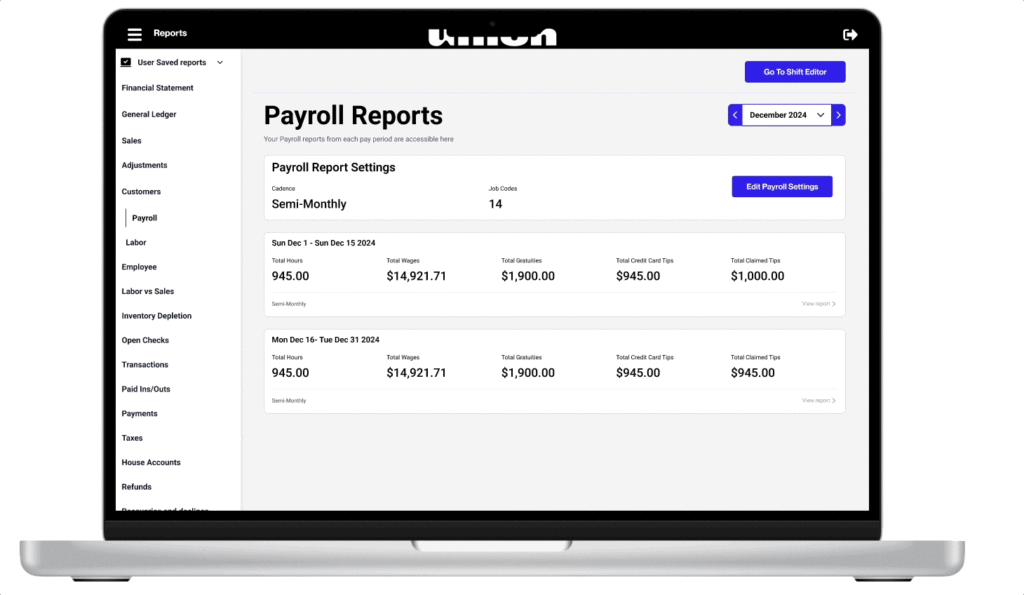
Custom Payroll + Labor Reports – Save Time, Work Smarter
We’ve made big improvements to Payroll and added a brand-new Labor Report to help you manage labor and payroll faster, more accurately, and on your terms. Venues can now save hours reformatting payroll data. Create custom reports that fit your payroll provider’s format and track labor exactly how you need — grouped by day, job code, or employee.
- Custom Payroll Reports: Show/hide columns, clock-in/out times, job code totals, and filter by payroll period.
- Labor Reports: Group by day, job code, or employee, save your favorite report setups, and easily export to Excel or PDF.
How to access it:
March 2025
Category Adjustments for Comps, Spills, and Voids
You can now disable custom reason codes and limit adjustments to specific sales categories — helping prevent accounting issues and ensuring adjustments like comps or gratuities only apply where they should. Venues using accounting software can avoid mapping errors, and have more control over how discounts, comps, or gratuities apply to items on a check.
Configure in Manager Portal → Settings → Adjustments → Select Discounts, Comps, Voids, Spills, Service Charges, or Gratuities.
- Toggle off “Custom Reason Code”. This removes the custom reason code and percentage, dollar based box on the POS. This means you cannot add in a custom adjustment
- You can add “Sales Categories” This will only apply the adjustment to items with the specific sales categories
Check Activity Log – See Every Action on a Check
You can now view a full Activity Log for any check to track exactly what’s happened — from opening to payment. The Activity Log provides a clear, detailed timeline for every check, helping with accountability, staff training, and troubleshooting.
Configure in Manager Portal → Click on a ticket → Click “Activity Log”
You’ll now see a detailed list of actions such as:
- Order Status: Tab is open
- Check Opened: Assigned to “unclaimed” or specific employee
- Tax Inclusive Disabled: This check is tax exclusive
- Table Assigned: Example: Bar 1
- Check Owner Transfer: Employee claimed the check
- Tip Entered
- Payment Captured: Completed and processed
DAVO Sales Tax Integration
Venues no longer need to manually calculate and set aside sales tax, which can lead to costly end-of-year expenses. With the new Davo integration, sales tax is automatically collected and stored in a trust account, ensuring accurate and timely tax payments.
Navigate to Manager Portal → Integrations Page → Select Davo → Sign Up or Link to an Existing Account.
Flag a Manager Feature
Staff can now long-press on any Table, Tab, ToGo Order, or Guest on the Waitlist to alert managers about guests needing attention. Managers receive immediate text notifications with guest details and location. This improves service quality by enabling rapid response to complaints, VIP recognition, or special circumstances.
Configure in Manager Portal → Settings → Notification Center → Venue Notifications.
Fast Cash/Fast Card Close Settings
To prevent accidental “Fast Cash” closures by servers and bartenders, a new setting allows venues to enable or disable “Fast Cash” and “Fast Card” from the register settings. This reduces errors and improves transaction accuracy.
Configure by in Manager Portal → Navigate to Register Settings → Hardware → Select a Register → Toggle “Fast Cash” on or off → Save.
R365 Integration Enhancement
Previously, venues had to contact support to repoll files when adjustments were needed for labor hours or missing reports. Now, managers can repoll R365 files directly from the portal, saving time and streamlining operations.
Configure in Manager Portal → Navigate to Integrations → R365 → Re-poll Files.
Jan/February 2025
Financial Statement Improvements
We’ve streamlined the Financial Statement report with two key updates:
- Combined credit card types are now displayed as “Cards” in the Deposits section
- Added direct links to related reports (comps, voids, spills, discounts) for faster access to detailed information
Sales Comparison Report
New report enabling week-over-week and month-over-month comparisons of key metrics including gross sales, voids, comps, discounts, spills, and net sales. Access it under Reports → Sales Reports → Sales Comparison.
Guest Count Settings
Added new options for calculating guest count. Configure your preference in the manager portal → Select POS Layout → Select Option.
- Track by staff-entered guest numbers (default)
- Track by items added per seat position
Mobile Open/Close Table Management Update
A guest can now open their tab via the mobile QR/NFC and have it tied to the specific table number without needing to have your mobile ordering menu enabled. Guests will see a static digital menu. This provides more efficiency in check management for those not interested in utilizing the guest-led feature for ordering.
Ticket Activity Log
Introduced detailed activity tracking for checks in Manager Portal → Ticket Details → Activity Log. Monitor payment adjustments, deletions, tip modifications, and item changes in one centralized view.
December 2024
OpenTable Integration (Now in Beta)
Total Amount Tip Entry
We’ve simplified the tip entry process for staff with a new total amount calculator. Now when entering tips, you can simply input the total check amount on the “Enter Tips Screen” and the system will automatically calculate the tip – no mental math required. This speeds up end-of-shift processes and reduces potential calculation errors.
Guest Count Improvements
We’ve refined our guest count tracking system to provide more accurate reporting. The improvements resolve an issue where guest counts were incorrectly duplicating when checks were split, and update the counting logic to only include seats with ordered items. These changes ensure more precise guest metrics and prevent over-inflation of guest counts in your reporting.
Employee Performance Report
We’re introducing a comprehensive Employee Performance Report to help track key server metrics and streamline tax reporting. The report provides detailed insights into average check values, per-person averages (PPA), and various tip percentages. Managers can now easily monitor table turn times and tip performance standards, while also generating data for IRS Form 8027 tip reporting requirements.
Ticket Details: Combined Item View
We’ve streamlined the invoice viewing experience in the Manager Portal with a new combined items feature. When viewing ticket details in the manager portal, you can now consolidate identical items into a single line entry, transforming lengthy catering invoices into concise, professional documents. This update helps create cleaner, more customer-friendly invoices that are easier to review and share.
Menu Item Search Mobile
We’ve improved the menu item search experience for iOS mobile users to help guests find exactly what they’re looking for, faster. The enhanced search functionality now delivers more accurate results when searching through venue menus, making it easier to locate specific items.
November 2024
-Dual Entry Accounting is Here: Any tabs left open will be reported as an Account Receivable and your accounting team will be provided a daily journal entry tracking these balances in great detail. As a result of these changes, we’ve renamed the Sales Summary to Financial Report and the Sales by Detail report to General Ledger report.
See Video Here.
– Floating Decimal On PAT Tip Entry Screen: Venues want to prevent issues with tips caused by manual entry. We have now added a floating decimal point for Pay at Table Flow so customers no longer have to enter in the decimal point.
– Mobile Menus by Floor: Venues want a way to limit what can be ordered on the mobile menu depending on floor plan. We have now added a feature to display menus by floor plan, allowing you to exclude specific menu screens not available in certain areas of your venue. Inventory → Menus → Mobile menus → Select floors not to display.
– Sales Subcategories to Inventory Depletion Report: Venues want the capability to see sales subcategories on the inventory depletion report. We’ve now added Sales Subcategories to the inventory depletion report. Reports → Inventory Depletion → Sales Subcategories.
– Item Details Drill Down: Venues want the capability to see how items are sold with modifiers. We’ve added a drill-down item report that shows how items are sold and what modifiers are sold with that item. If the item is also a modifier, you can see how the item was sold as a modifier.
October 2024
– POS on iPhone Update: Venues want the capability to be able to see more tiles for POS on iPhone. We have created a full page menu view that allows the blue bar to be scrolled up and down for easier ordering. See tutorial here.
– Flexible Timed Menu Screens: Venues want the capability to have menu screens be timed for multiple hours. We have expanded the hours for which you can set your venue’s menu screen. See tutorial here.
– Inventory Command/Collapse Details: Venues want the capability to see sizes and pricing on the inventory management screen quickly. On the inventory screen, you can now add a filter to Close or Show Details.
September 2024
– KDS Features releasing: This month, we are releasing various new KDS features: KDS Lock Bumping, KDS Notify Customer, and KDS Families.
Venues want KDS to work multiple ways depending on their user case for the KDS.
KDS Hub and KDS Families lets you indicate to an expo when items and an order is ready. It helps with expo efficiency by knowing which items for which orders are ready to go. Multi-Clear will allow the expeditor to be a control center and manage the tickets as they see fit. Common user case is the expeditor bumps the ticket but each station can see everything that is being made across all stations. This helps with quality control and the expeditor controls when the tickets are marked as complete for the children KDS’s.
Overall: KDS families allows a venue to mix and match settings to what their kitchen desires for a curated KDS experience.
If you need help setting up KDS families please reach out to becky groffman at becky.groffman@getunion.com
KDS Lock Bumping & KDS Lock Notify Customer
See Video Here: Order Ready
See Video Here: Multi-Clear
– Transfer Closed Checks: When a venue’s employees clock out or checkout prior to checkout, some venues need the capability to transfer checks that are closed but not checked out and be able to sort by tips entered or unentered. On the transfer check screen you can now sort by “Open, Closed, All” checks and checks that have tips entered or unentered. This allows a server or bartender to transfer checks prior to checking out.
– Flexible Timed Menu Screen: Venues want the capability to have menu screens be timed for multiple hours. We have expanded the number of hours you can set a venue’s menu screen for.
– Mobile Menus By Floor (Coming Soon): You will soon be able to display menus by floor plan in your venues. This will allow you to exclude specific menu screens not available in certain areas of your venue. Inventory → Menus → Mobile menus → Select floors not to display.
– House Account Card on File (Coming Soon): Some venues want the capability to be able to charge a card on file for house account transactions. This is really helpful if you have frequent VIP customers that have a house account or need a card on file for an event. We are adding the capability to store a card on file for house accounts. Easy as 1,2,3 dip or key enter a card to keep the card on file and use it at a later time.
– To-Go Database (Coming Soon): We are working on an overall customer database starting with to-go. For to-go orders you’ll soon be able to search by name, phone number, or address and retrieve customer data including favorite items, customer notes, average check, and last visit.
August 2024
– KDS Clock In/Out: Venues would like a way to be able to clock in out and from a KDS, this allows venues who have a split set up (such as a bar and a taco truck in the patio area) to easily clock in and out. Learn how to enable in the video below.
– KDS Bump to Print: Venues want the capability to bump an order and have the KDS print an Expo ticket. We have added capability to assign a KDS to print a ticket at a station printer or receipt printer when the order is bumped. We have also added capability to print a labor chit on clock out if a KDS has a labor chit printer assigned to it.
Steps:
- Go to settings
- Go to Hardware setup
- Select KDS
- Assign an Order printer if you’d like that printer to print a ticket when an order is bumped on the KDS
- Assign a labor printer if you’d like to print a labor chit to print when someone clocks out
- Select save
– Adjustments Reports: Venues need a way to see the adjustments that are selected by sales category for Voids, Comps, Spills, Discounts, Tax Exempt, as well as a way to see the item price and the amount that are selected by sales category for Voids, Comps, Spills, Discounts, Tax Exempt.
– Coursing Line Indicator: Venues need a way to see what course an item is on the POS. We are adding a course indicator on the POS.
Read more about July’s Feature Releases, here.
June 2024
– Incremental Auth: Venues can now verify if a customer card has funds in increments. You can set multiple pre-auth amounts in the manager portal for Mobile transactions that check to make sure that there is enough funds on a card prior to mobile order being sent. This feature is available for venues using mobile ordering.
– Pre-Auth: This feature allows venues to pre-authorize a card for an amount. The funds will be a pending hold on a customers bank account. You can use Pre-Auth and Incremental auth together or independently of each other. Pre-Auth takes priority over incremental Auth.
– Labor Department Updates for Labor Versus Sales Reports: You can now add labor departments for FOH (Front of House), BOH (Back of House) or OTH (other) to job codes and report on salaried employees in the labor versus sales reports. We migrated jobs to OTH so please go in and update to the appropriate department.
– Service Charge Removed from Printed Receipts: We are removing the text “Svc Charge” from printed receipts. We are releasing this in phases and starting with printed receipts, but are working on changes for Mobile, PAT flow and email receipts.
– Ticket Details/Receipts Page Updates: We’ve added a several fields to the ticket details page.
- Added a price column
- Added the adjustment (Comp, spill, void, tax exempt, Discount) the amount of the item and the amount that was adjusted down
- Added modifiers – you can see the upcharge price now
- Added open at time
- Added closed at time
- Added the check name
- Added the number
– Payments by Revenue Center (Mid-June): We are adding a revenue center dimension to our payments report. We are adding additional fields for “Amount” and “Gratuity incld” to the payments and payments by revenue center report. Releasing Mid June.
– Embedded 2nd Level Mods (Mid-June): This great feature allows for a modifier to have it’s own modifiers associated with it. A great user case: if you have a Hamburger that has side options such as fries or a side salad and you want your guests to select a dressing with side salad. Releasing Mid June.
Read more about June’s Feature Releases, here.
May 2024
– Incremental Auth (Late May): Reduce fraud and losses from declines with customizable incremental pre-auth settings. This adds additional verification that a customer’s card has funds to cover their order.
– Improved Pick-Up Experience: We’ve improved the UI/UX guest-led digital experience for accounts that let guests skip the line, order in the app and pick-up at a the bar.
– Sales by Revenue Center: Now view various reports by revenue centers. Learn how to set up registers to be revenue centers in order for this to work.
Read more about May’s Feature Releases, here.
April 2024
– Improved Day Part Visibility: We’ve added a new feature that allows you to view and compare sales based on different day parts. To help you get started with this powerful reporting tool, watch the tutorial video below.
– Rewards on Modifiers: We’ve improved our mobile menus to allow Union-funded rewards to be featured on modifiers. When you build your mobile menus with Cocktail > Choose Your Liquor, we can now highlight any applicable Union-funded rewards to your guests.
– Sales Reports & Navigation Updates: The new and improved side menu allows users to save the reports that they need. We’ve added top level filters that allow you to select and run the report you’re looking for and also save it for a later time.
February 2024
– Enterprise Reporting: Multi-venue operators now have a single dashboard for tracking sales, top-selling items, and labor costs across all their locations.
– Multiple Pick-Up Locations: Create multiple locations for a guest to pick-up their order.
– Staff Permissions: Ability to customize POS permissions for each of your staff.
– Modifier Visibility: Customize which modifiers are visible based on the mobile menu your guests are using.
December 2023
– Stacked KDS: View and manage more orders on your KDS screen.
October 2023
– Gift Cards: Sell, redeem, and track eGift cards seamlessly.
– Scan to Pay settings: Include a QR code on a printed receipt, or as an accepted payment method for POS on iPhone.
– Sales by Item by Employee: Track and analyze which items your employees have sold over a period of time.
September 2023
– Customized Menu Items: Easily add sizes and modifiers to every menu item.
July 2023
– Initial release for POS on iPhone
June 2023
-Sales by Detail Report Updates –> Manager Portal –> Reports –> Sales by Detail
– POS updates to Search
– Cash Discounting –> Manager Portal –> Settings –> Payments –> Cash Discounting
– Receipt footer message on Credit Card and Cash receipts –> Manager portal –> Settings –> Receipts
May 2023
-Support for POS on iPhone
-Transaction Review –> Manager Portal –> Venue Details –> Checkout Review
April 2023
-Ability to tax gratuities –> Manager Portal –> Taxes –> Apply to Gratuities
-Ability to delete a seat when using seat assignment for tables
-Live Refresh
-Reusable Menu Sizes – Manager Portal –> Menu –> Sizes
-Updates to Manager Portal Session Management and including a “Remember Me” check box that allows you to be logged in for 30 days
-Print a single credit card receipt – Manager Portal –> Settings –> Receipts –> toggle off customer copy
March 2023
-Updating POS search capabilities to include global search
-POS per check adjustments, delete all, approve all, and decline all
-Allowing to delete a surcharge from a paid check
-Improvements to modifier printing when multiples of the exact item are included on the ticket
-Improvements to pricing events
-Improvements to the labor date picker
-Mobile release for updates to the Thank You Page
February 2023
-Support for 2nd level modifiers
-Offline checkout improvements
-POS prevents use of Guest Wifi
-POS support for deleting in progress payments
-Tax inclusive and exclusive pricing by sales categories, registers and tender types
– Renaming employee “App Union” to “Unclaimed”
-Improving transaction report by adding additional search capabilities
January 2023
-Waitlist Release – Venues can utilize mobile and easily set up a waitlist module
-Improvements to unit modifiers
– Union Mobile now allows customers to easily save items
-Venues can now have a view only menu for Union Mobile
-Mobile fix for 86 items
-Custom adjustment reason box UI improvement on POS
December 2022
-Customer Ranking on Union Mobile – Customers can see their status and favorite brands!
-Deleted Checkouts now show in the manager portal and on the POS
November 2022
-Remove custom instruction box on Union Mobile: Navigate to the manager portal → navigate to inventory–> navigate to an item and disable custom instruction box on Union Mobile
-Auto clock out indicator when an employee does not clock out and auto clock out runs, the employees shift will now turn red.
-Transaction report now indicates the check owner and who took payment for a check -> Log into the manager portal -> navigate to reports -> navigate to transaction report
September 2022
-Daily email: You can now receive a daily sales email sent to you! Log in to the manager portal → Navigate to employees → select the employee and click the box you’d like to receive the email from
-Notify Customer: You can now notify a customer when a to-go or union mobile order is ready via text. Log into the manager portal → navigate to online ordering → navigate to notify customer → enable and save
July 2022
–Auto claim: Easily allow for Union Mobile tabs to be auto claimed by your bartenders and servers. Log in to the manager portal → navigate to settings → navigate to POS layout → toggle on “Auto Claim”
June 2022
May 2022
– Reporting speed improvements
– Reporting formatting improvements
– Increasing payment timeout from 15 seconds to 65 seconds
– Table assignment system improvements
April 2022
– Faster Sales Trend Reports
March 2022
TabbedOut Rebranded to Union Mobile: Released new branding for TabbedOut, now called Union Mobile
POS To-Go Screen: Easily take To-Go orders that print in red to the kitchen
POS All Checks Screen: Manage all of your orders under 1 screen
EMV fallback capabilities: Added ability for EMV compliance
Manager Portal > Online ordering > Phone Orders > On or Off toggles a customer information screen
Manager Portal > Recoveries & Declines > You can now easily manage your recoveries and declines
Manager Portal > Reports>Labor vs Sales> Improved Labor vs Sales capabilities
December 2021
POS UX/UI Designs: Drop down navigation arrows, 3 lines is now 3 dots
POS Adjustment Center: 3 lines Adjustments> Can now easily mass approve or decline adjustments
Manager Portal Transaction Reports > Declines: Updated UX/UI
Manager Portal Labor> Labor Settings> Overtime: You can now set your own overtime rules.
November 2021
Split Evenly: Split evenly no longer defaults to the card on file after the first transaction
Item Management Menu Screens: Improvements to screen management
Mobile Wallet Improvements: Ability to change payment type in mobile wallet using the carrot arrow >
Receipt Adjustments: Now show on mobile receipts and pay at the table receipts
October 2021
Breaks Update
Setup paid and unpaid breaks Manager Portal > Settings > Labor Settings > Breaks
Change a paid or unpaid break Manager Portal > Reports > Labor > Manager Edit Capabilities > Generate Report > Edit shift
Drag and Drop Menu Screens Manager Portal > Inventory Management > Menu Setup > Menu Screens
Drag and Drop Modifier Groups Manager Portal > Inventory Management > Menu Setup > Modifier Groups
Auto End of Day Report Manager Portal > Reports > End of Day > Initiator Union
September 2021
Delete an item Manager Portal > Inventory Management> Edit item > Delete top right
Turn off House Account Payment Receipts Manager Portal > Settings > House Account > Turn receipt on/off
Paid in and outs now print a chit!
August 2021
Menu Screen Scheduling now available on all menu screens!
Easily Un-Assign All Tables Assign tables > Long Press on servers name > Un-assign all tables
Closed Walked Tabs printed receipts are now turned off, you can enable them by Manager Portal > Payments > Closed Walked Tabs > Enable Printed receipts
Auto Log Out now available on register settings! Manager Portal > Settings > Hardware Setup > Registers > Register Name > Enable Auto Log Out
Long Press on multiple items on the POS and you can reprint multiple items to the kitchen, split multiple items, send or hold multiple items to printers.
July 2021
Pay At The Table Flow Change from dip or swipe first then tip
Transfer Items Flow Change: Transfer items before they’ve been sent to the kitchen to different seats
Print individual items versus grouped items
Print other items at stations
Print station details at bottom
Print modifiers at defined stations
Print Course line with number when an item is enabled in coursing
Turn off a station printer
Labor Reports: Ability to change job code for an existing shift in the manager portal
Disable printer stations for TabbedOut ordering
Pay with Debit Cards via Apple Pay
Full Service Tables now work with TabbedOut Ordering
MAY 2021
Ability to claim a TabbedOut tab after order is placed: Added to the POS, allows for servers to easily claim a TabbedOut tab from a self service table. Long Press Tab > Claim
Paid breaks: Added to the portal, you now have the ability to enable paid breaks in labor settings.
APRIL 2021
Advanced Printer Routing – Online and TabbedOut orders from different tables can be routed to printers based on floor
Order Confirmation Dialog when TabbedOut orders are placed
TabbedOut Sign Up has been moved to the end of ordering/tab opening process, so customers can open and view menu immediately from QR code
Venue address, phone number and table number added to TabbedOut and Pay at Table receipts.
Renamed “Inventory” to “Countdown” on POS side menu to manage 86’d items
MARCH 2021
Manual card entry on POS via Payeezy hosted page
Extended setup for printer station mapping for online orders.
DECEMBER 2020
Unlimited station printers – Each item can now have unlimited stations assigned in the manager portal
Magtek card reader improvements and fixes
Pay at the Table Confirmation dialog has been removed
November 2020
4th station printer support
Magtek card reader disconnection improvements and bug fixes
Employee sorting in labor section by last name.
SEPTEMBER 2020
Mobile Ordering – Take orders directly from your customers’ iPhone and Android devices!
Tabs no longer turn blue when closed, and move automatically to Closed Tabs screen.
July 2020
Credit Card Surcharging – Recover a percentage of credit card fees automatically. If your customer is paying with a credit card, the surcharge will automatically be applied as a ticket adjustment, and if they are paying by cash, the surcharge will not apply.
Labor Report Movement – We know your labor report is one of the most commonly used areas of your Manager Portal, so we have moved its location to appear right above Transactions at the top of the Reports page.
Apple Pay & Payment Methods in TabbedOut – Customers using TabbedOut will now be able to set up payment methods, select a default, and use Apple Pay to pay their tabs in the app.
Shift Notes – With the new Shift Notes feature, you can enter notes that will appear on the left side of the sign-in screen on the POS to all staff using the system
FEBRUARY 2020
Prevent Checkout with Open Tabs – Toggle in Manager Portal that can prevent a user from checking out if they still have open tabs or checks.
To prevent checkout with open tabs, go to Settings > Venue Details and toggle Prevent Checkout With Open Tabs.
Faster Pay At Table With Card-On-File – Automatically apply the card-on-file for any given check on Pay At Table.
Upcharge Modifiers Print to Customer Receipts – Upcharge modifiers will now print underneath the main item ordered on the receipt. Go to Settings > Receipts > Modifiers and switch the toggle to enable.
Station Ticket Printing Improvements – Station tickets will now print the number of guests at a table, and order items by seat number, rather than order by entry time.
Improved Transfer of Tabs and Tables – You now have the option to choose from any of the open tables when transferring a check or a bar tab.
To transfer from table to table
Long Press Seated Table > Transfer Check > Select an Open Table
To transfer from tab to table
Long Press Tab > Transfer Tab > Select an Open Table
JANUARY 2020
New Login Screen – Dynamically changing announcement slides about trending products, industry insights related to your business, and updates from our new Service Industry Network.
House Accounts –You can now take deposits, track, and manage all of it from right on your POS by starting a House Account.
Card Processing Fees on Tips & Gratuities – If you would like to apply card fees to server gratuities, go to: Settings > Labor > Retain Fees. Enter your desired percentage, and that will be taken from the gratuity amount.
Checkouts and End of Day Reports in Portal – From within your Manager Portal, you can now conveniently access all checkouts and end of day reports that are normally printed from the POS.
Starting and Ending Bank Entry – You can now optionally enter a starting bank and ending bank from right on the POS. The starting bank will appear on the clocked in user’s checkout report.
Sales By Hour on Flash Report – Now you can see your hourly sales and compare to previous time periods. To view sales by hour information on your POS Flash Report, go to your Three Dots Menu > Reports.
Service Industry Network by UNION – SIN is your one-stop-shop for the latest news and data from the hospitality world. Our mission is to help grow your business with money saving tactics, introductions to trending products, personal development, and more.
November 2019
Point of Sale
New checkout reports – Line items from your gross to net sales are more efficiently streamlined. Spills have also been added to the Sales Summary. Transaction Details, Payment Details, and Card Tip Details have been simplified into one section.
New flash sales & employee sales reports – New display of sales reports on POS. Sales Stats button is retired and exists under Menu > Reports.
Long press for table seats – Long pressing a seat number in a table view will allow you transfer items to other seats. You can also transfer items to other tabs as well from this dialog box.
Search by cardholder name – Tables and tabs can now be searched by cardholder name, as opposed to only by tab name.
Manager Portal
Portal password reset – added a “Forgot Password?” link under your Manager Portal login page that will allow you to reset passwords manually. Simply click the link and enter an email address, and a reset link will be sent to you immediately.
Auto-check out closed tabs – A toggle switch in Venue Details can enable Auto Check Out. This will automatically check out all closed tabs at the time set in the End of Day field.
Service Charge Updates
Add Tax Rules to Service Charges – You can now apply specific tax rules to all service charges. In Inventory > Menu Set-Up > Tax Rules, check the box for Apply to Service Charges to apply tax on the receipt.
Include Service Charge Reason on Receipt –The bottom of all receipts can now include the specified reason for service charges. Enable this display in Settings > Receipts > Ticket Adjustments.
REPORTING UPDATES
- Collapsable Sales Report section – all sales reports are now separated from Payments.
- New Sales Detail Report: optimized version of the retired Legacy Sales Report. Categories and subcategories are listed in their respective columns, and all report views can be exported as an Excel file or PDF.
- Updated Sales Summary Report: Expanded to include additional service charge information, as well as customer payments. We have also separated voids from other adjustments.
SEPTEMBER 2019
Overtime Reporting – UNION will now automatically track overtime pay based on federal and state laws.
Multi-Venue Access – If your businesses span multiple locations, you can now access all of your venues with one single login.
Pay at the Table – Accept payments right on the spot without the need to return to a fixed point of sale terminal to swipe or dip a customer’s card.
Flash Report Update – updated to show a visual glance at your sales information for the day – per hour and by item.
Loyalty Discount Cards – When a card is swiped, a discount can automatically be applied to the order based on a specified discount setting.
Sales Category Specific Discounts – Manager Portal option to associate a discount button to specific sales categories. For example. you can now add a discount to all “Beers”.
Employee List Filter & Sort – Filter employees by All, Active and Inactive, as well as sorting by First Name Alphabetically, Newest, and Oldest.
End of Day Notes – Leave shift notes right on the POS.
REPORTING UPDATES
- Sales Summary Report now includes Hourly Activities, Sales by Category, and Payments, all in one easy-to-read report on one screen.
- Retired Sales Legacy Report: The Sales Summary Report includes everything that was previously included on the Sales Legacy Report.
- Retired Consumption Legacy Report: The Consumption Legacy Report information is available in the Sales by Item Report.
- Flash Report Sales by Hour – Sales by Hour table has been added to the new flash report.
August 2019
Break Mode – Employees can now clock in and out of breaks right on the point of sale. Enter break settings in Settings > Labor under UNPAID BREAKS.
86 Item Countdown –Keep track of items that are running low by entering the amount of items left in your inventory. As you sell these items, the quantity will lower to 1, and when the number reaches 0, the item will automatically be 86’ed in your system.
Item Sales Subcategories – Add a sales subcategories to manage inventory more accurately. For example, Liquor can be set as a parent category of vodka, tequila, whiskey, gin and so on.
Table Permissions – Additional permission settings have been added to view and manage tables in the Manager Portal.
Additional notifications in alert center for card reader disconnected and low battery
July 2019
Swipe Access Cards – Order and assign swipe cards for employees and managers to access your POS system. The cards take place of a pin code entry on the POS. Order Cards Here
Transfer Multiple Checks at Once – Speed up multiple check transfers by filtering checks by employee name.
Employee Hours on EOD Report – End of day print out will now list all hourly employees and number of hours worked
Third Printer Station Configuration – add a third printer per menu item.
Share Manual Entry Devices on Multiple Terminals – Pair and activate your manual entry device on any UNION terminal
June 2019
Split individual items – Split a single item across multiple checks by long pressing the item in tab details and pressing SPLIT.
Pay at the table – UNION runs on iPad Mini which allows for pay at the table handheld support.
Multiple terminal printer sharing – Increase efficiency by syncing multiple mobile or stationary point of sale terminals to one printer.
Updated POS user interface to reflect our new branding, as well as improving accessibility of navigation and support contact information
Auto service charge / gratuity – Choose for service charges and/or gratuities to be automatically applied.
Custom gratuity amount can be added to any check directly from the point of sale.
Per-register payment methods – Specify which registers can accept different payment methods in the Manager Portal.
Manager Portal and POS permissions settings are now separated into two panels for ease of access.
Terms and conditions update – reflected to include changes in Apple MDM policies
May 2019
Change font size – Font sizes can be changed on kitchen receipts
Employee tab ownership – prevent changing of employee tab ownership if venue has open tabs
Auto-refresh Manager Portal – Automatically clean cache after update release
Delete recipe – additional option for deleting recipe in manager portal
April 2019
Manager Portal
Reporting Updates – The following reports have been updated from legacy reports to our new reporting system, which allows finer control over displaying time ranges and more intuitive data visualizations. You can find these in the side menu of your Manager Portal under Reports.
- Pay-Ins / Outs Report
- Sales by Table Report
- Transactions Report
- Revenue Centers Report
- Modifier Sales Report
Refund Button – Added refund button on the ticket details page to allow easier access to refunding in manager portal.
Point of Sale
- Permission settings for viewing cash sales stats
- Long press to hold or send an item
- Tip entry usability – POS will alert any staff member if tips are not entered before running checkout.
- Held items are not printed on itemized receipt
- EOD report lists open/closed tabs and includes list of checkouts
March 2019
Manager Portal
- Multiple service charge options – Add dollar amounts, additional percentages, and ad hoc service charges onto your POS. Allows for stacking service charges, with a mix of percentages and dollar amounts if desired.
- New Labor Reporting – Reports show up as Time Clocks on the left side of your reporting window. All shifts and fields are editable as well, and can filter by job code.
Point of Sale
- 86 unavailable items right from the POS under Inventory > 86.
- Add tab notes – Long press on a tab to leave a note that will also print to the customer’s receipt.
- Join tabs and tables – Long press a tab or table to join two separate tabs together.
- Set tab source – Track where orders are coming from by setting sources for tabs.
February 2019
Long Press – Major Enhancement to Core Functionality
We have significantly improved how you interact with the POS by using a long press to drive super-fast accessibility to many operations.
- Long press table actions – removed need for table sidebar and now all table access is performed through a tap or long press.
- Long press tab actions – New long press options for transfers, printing the check, and renaming the tab from All Tabs view.
- Long press tab detail actions – In the tab detail view there are 3 new areas that long press is active. Long press tab name, items on tab, and payment list.
- Airplane indicator will show on tabs with held items on the All Tabs screen.
- When all items have been fired (no more items on “HOLD”), coursing mode is turned off and all following items will automatically fire going forward.
Automatic Retry Declined Walked Tabs – Declined walked tabs will be discounted at the time of decline and automatically retried over 7 days following the original tab date or until recovered.
- New Recoveries Report is located in the UNION Manager Portal to account for walked tabs.
January 2019
TABLES version of UNION POS – Shift and reassign tables in seconds with UNION Table view.
- Re-assign tables and transfer checks to servers in seconds.
- Split and merge tables easily from within your POS.
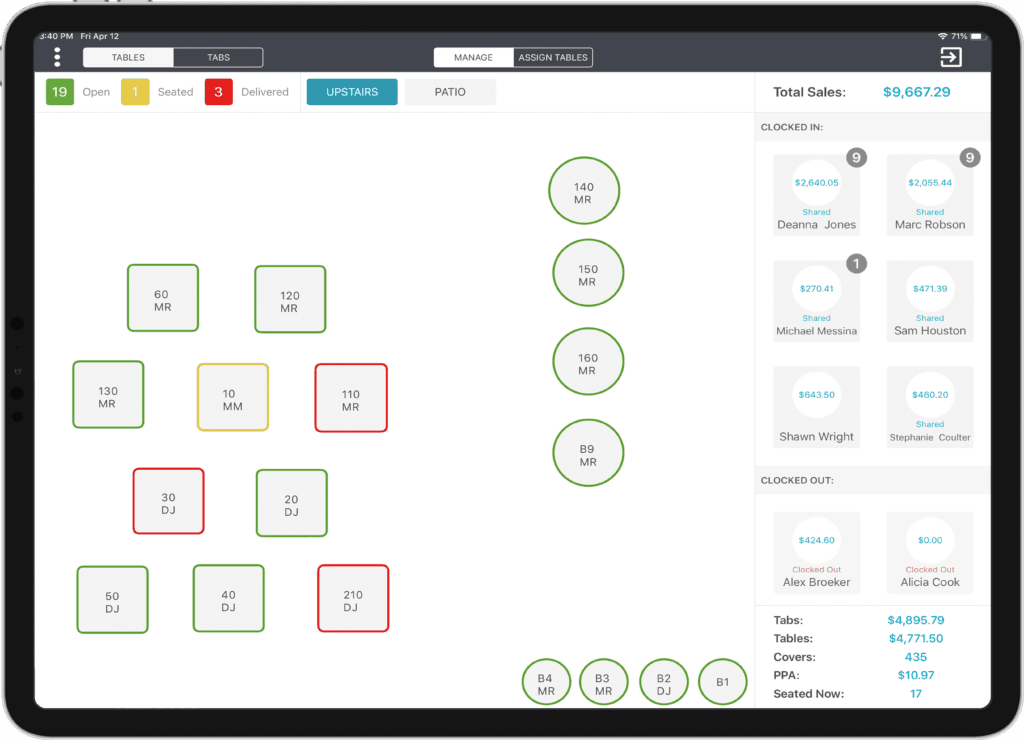
December 2018
- Reprint checkout and end-of-day from side menu directly on POS.
- New gift card program – Purchase custom-branded cards from our program partner, then activate and process them directly within the POS.
- Print voided credit card payment transaction – added the feature for printing a receipt when a payment is voided.
November 2018
- Payment report improvements – Added visualization options to payments report. View how much is collected from your sales and filter on specific payment types.
- Gratuities will be separate from service charges.
September 2018
- Tax exempt button under the megaphone icon. Server can press the tax exempt button and sales tax will be removed from the tab.
- Course Inventory – You can select an appetizer, entree, or dessert on each item. Once you select the item’s course, each item will print in that order on the kitchen printer
- Print new flash reports – Summary, Open, Closed and Employee Reports, and their PIN codes.
- Surge Pricing – Go to Pricing Events in the UNION Portal and you will now see a new option for Price Increases.
- Search by Payment ID on the check printout enabling faster close out if that method is preferred.
July 2018
- 3-Second EMV Card Dip – In this business, every second counts. We now offer the industry’s first three-second EMV card dip for all UNION members
- Faster Reporting – update on the manager portal that allows large reports to load faster.
- Revenue Centers – you can easily view how much you made in each section of your venue from the same screen. See if your outdoor bar did better than your indoor bar today or track the number of items sold in your cafe separately from those in your restaurant.
June 2018
- End of Day Reports will now show the number of open tabs, as well as the dollar amount left on them.
- Ordering – When you tap an item on the Point of Sale you now have the ability to tap the number to the left of the item and enter a quantity.
- CRM – global catalog is now available when setting up your menu.
May 2018
MOBILE PAYMENTS WITH UNION TAB – Customers open a tab with a card, and their tab is automatically pushed to their mobile phone where they tip and pay.
- Tips are on average 22% higher than credit cards and your staff never again have to enter tips at the end of the night which will save labor costs
- Sales go up because bartenders are pouring more drinks instead of closing tabs on busy nights
- Environment is saved and costs are reduced because paper receipts become a thing of the past
- Your manager portal will show every customer, their email address, the number of visits and their most ordered items. You can directly use this for all of your marketing and social needs.
- Customer notes are now editable. Go in and update your customers preferences or delete a note by swiping left on the note.
- Accept all transferred tabs
- Consumption report allows viewing ALL items.
- Labor Chit updated to include the shifts worked during that work week.
- List view remains consistent when logging out and back in.
- RECIPES – Long press an item on the menu to view recipes entered into manager portal.
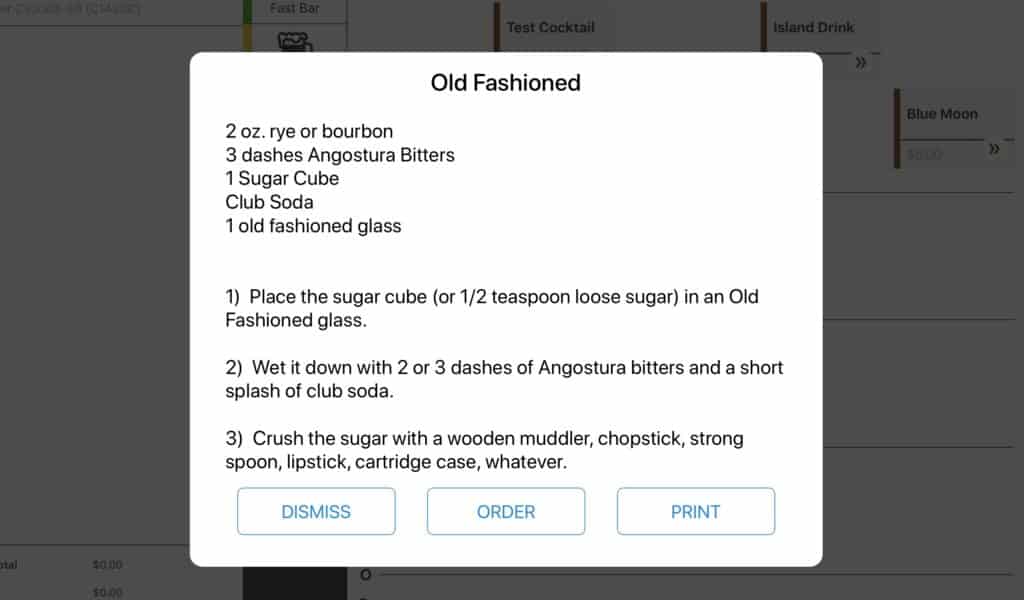
April 2018
MOBILE PAYMENTS WITH UNION TAB – Customers open a tab with a card, and their tab is automatically pushed to their mobile phone where they tip and pay.
- Tips are on average 22% higher than credit cards and your staff never again have to enter tips at the end of the night which will save labor costs
- Sales go up because bartenders are pouring more drinks instead of closing tabs on busy nights
- Environment is saved and costs are reduced because paper receipts become a thing of the past
- Your manager portal will show every customer, their email address, the number of visits and their most ordered items. You can directly use this for all of your marketing and social needs.
March 2018
- Check out – You can now run a check out while you still have open tabs. Tabs left open will remain under that user (or login number) and checkout and EOD will still run.
- End of Day – You can now run End of Day without running all individual checkouts.
- New Payment Device – Our POS is now integrated with a new payment device.
- Tax Inclusive Pricing – Enter price in the portal and have your POS calculate the tax for you.
- Manager Approvals Report in your manager portal
- POS Manager Approvals – You will now see the option to “Select All” instead of “Full Tab” on manager approvals
February 2018
- End of Day – This report will be a combination of all your checkouts.
- Hourly Report – New report will include your sales and labor costs by the hour.
November 2017
- EMV Chip Reader Capability – Swipe or “dip” debit/credit cards on your Ingenico card reader.
- “Hold” and “Don’t Make” buttons – After adding an item to a tab, and before you hit “send” you have the option to swipe left on the item to reveal a “Hold” and “Don’t Make” button.
- Tabs now hold more guest info – Swiping a credit card will auto-populate a guest’s first/last name on a tab. However, now if you choose to rename the tab, you can without losing the original tab name associated with the guest’s credit card.
- Default tab names – Default tab names increment up by 1 with an indication from which register generated the tab, and these numbers start over every day. This will make it easier for you to identify tabs by register and by time that they were opened.
- Simplified Pricing Events creation – Add entire categories to special event pricing.
- Spill Tab renamed to “Pending Spills”
- Discount Button Modification – Tax is now applied to a tab after you apply a discount. This will allow you to apply a 100% discount to items.
- End of Day notifications to help understand what needs to be fixed before EOD can be run
- Labor Report update – The daily Labor Report will now show the clock-in time of employees who have clocked in that day.
September 2017
- Pay In / Pay Out buttons have been added: Track cash in and out of your register with the Pay In / Pay Out buttons. ex. if you need $100 to the pay the band, you can now report the transaction in the register and make note of the reason for taking money out.
- Sales Report – Table at the top of the page will match up with the figures reported on the Checkout Reports. You can choose to use the sales report as your End-of-Day report.
- Discounts are reported as “voided”.
- Overlapping Pricing Events – The system will give precedence to the most recent event.
- Tab Refunds – If you need to refund a tab where a tip has been added, you can refund the full amount including tip.
- Service Charge Update – The service charge is applied to the total tab before Comps and or Discounts. ex. If you had a tab that was $500 with $200 in Comps, the service charge would be calculated from $500.
August 2017
- Optimized Printer Functionality – Receipts will print out faster.
- Improved End of Day Processes – If you happen to accidentally tap the “End-Of-Day” button again after already tapping it once, you’re safe.
- Automatic Happy Hour Pricing Expiration – Once Happy Hour has ended, item prices will revert to normal pricing, and the system will not allow you to reorder an item with Happy Hour pricing.